
★ Lifetime License
Pay once, use it for life. No subscription required. All updates within the same version are free: web updates, new reports, technical fixes and support for new inverters, meters and breakers. Framework upgrades and security updates are free for the first year, and you get a discounted upgrade to new versions. Your data stays on your own server.
Try the live demo now
Explore the monitoring dashboard in your browser without installing anything: overview, inverter details, production charts, comparison, faults and reports. The dashboard is available in 15 languages.
Register and request the software
The setup package is sent to members only; registration is free. Sign in or register, then request the software.
All features and packages
Item-by-item feature list of the Standard, Pro and Corporate packages: MGM production forecast, irradiance sensor, advanced reports and more.
SIYAD Solar Inverter Monitoring System is an on-premises monitoring and analytics solution that reads solar inverters of different brands and models directly over Modbus RTU / TCP and brings production, fault and performance data together in a single dashboard. Your plant data stays on your own server, with no dependence on cloud subscriptions or manufacturer portals.
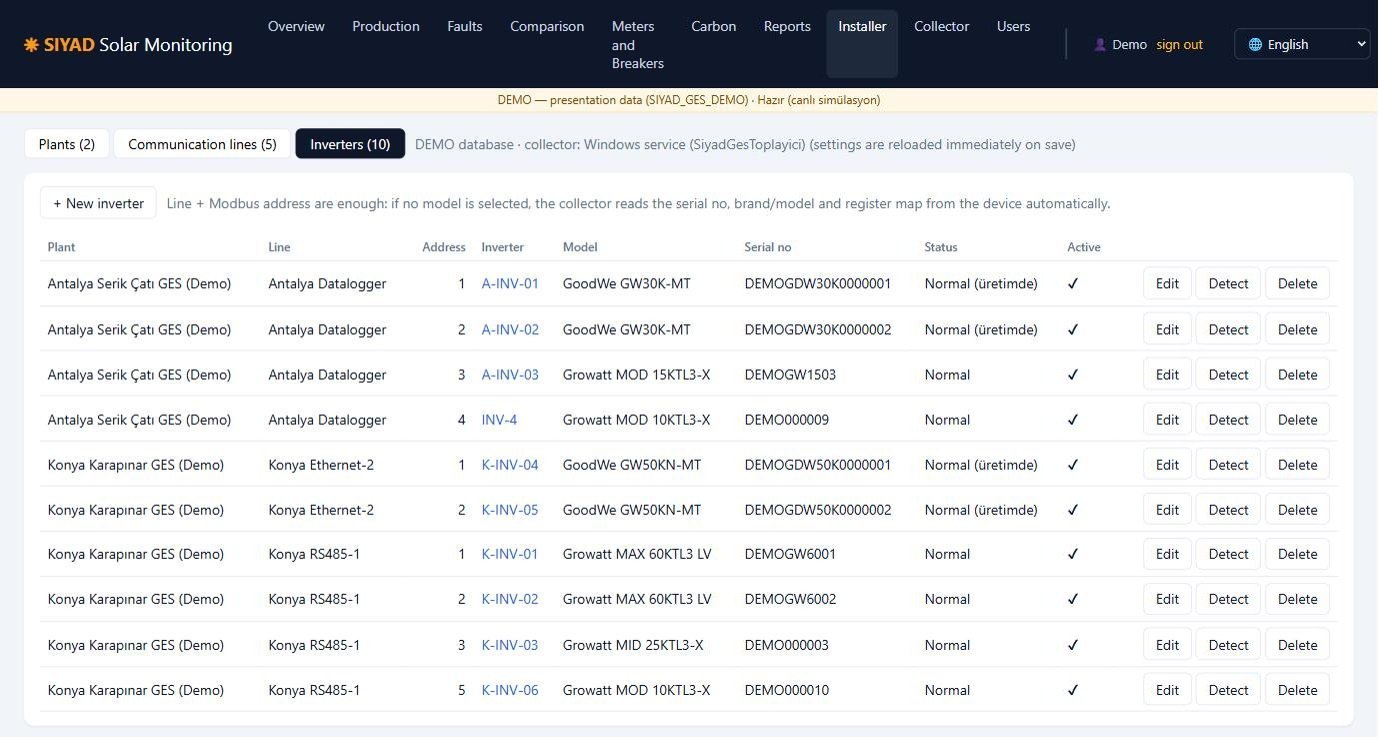
Brand-independent: it automatically detects the brand and model of the inverters on site and selects the matching Modbus map by itself. Growatt, GoodWe, Huawei, Sungrow, Solax, Deye, Wattsonic and TommaTech are supported. You monitor mixed-brand plants from a single dashboard: many brands, one screen.
From a single rooftop plant to multi-site portfolios, all of your plants are monitored from the same screen; efficiency differences between inverters of the same rating and losses caused by shading, soiling or faults become visible quickly.
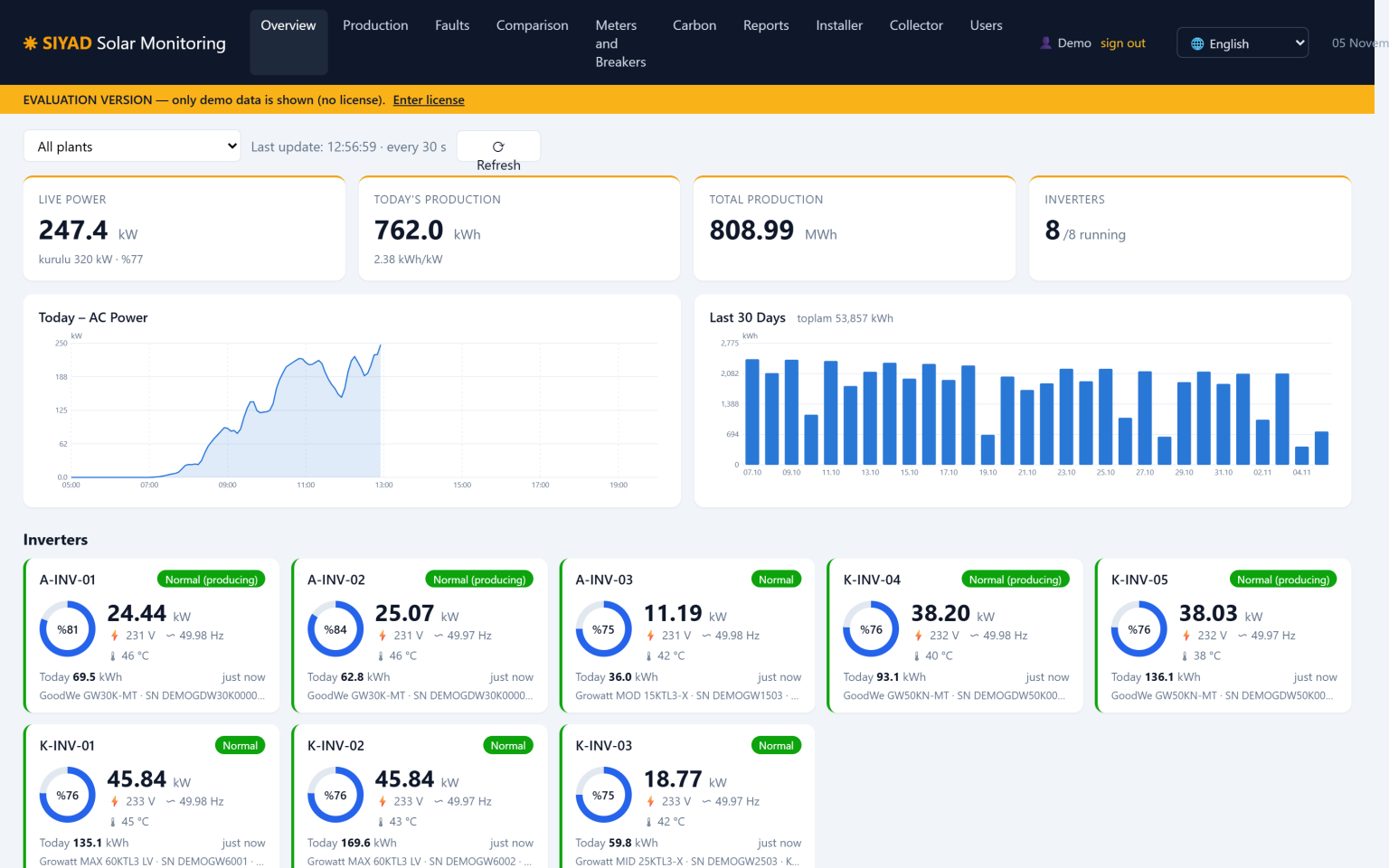
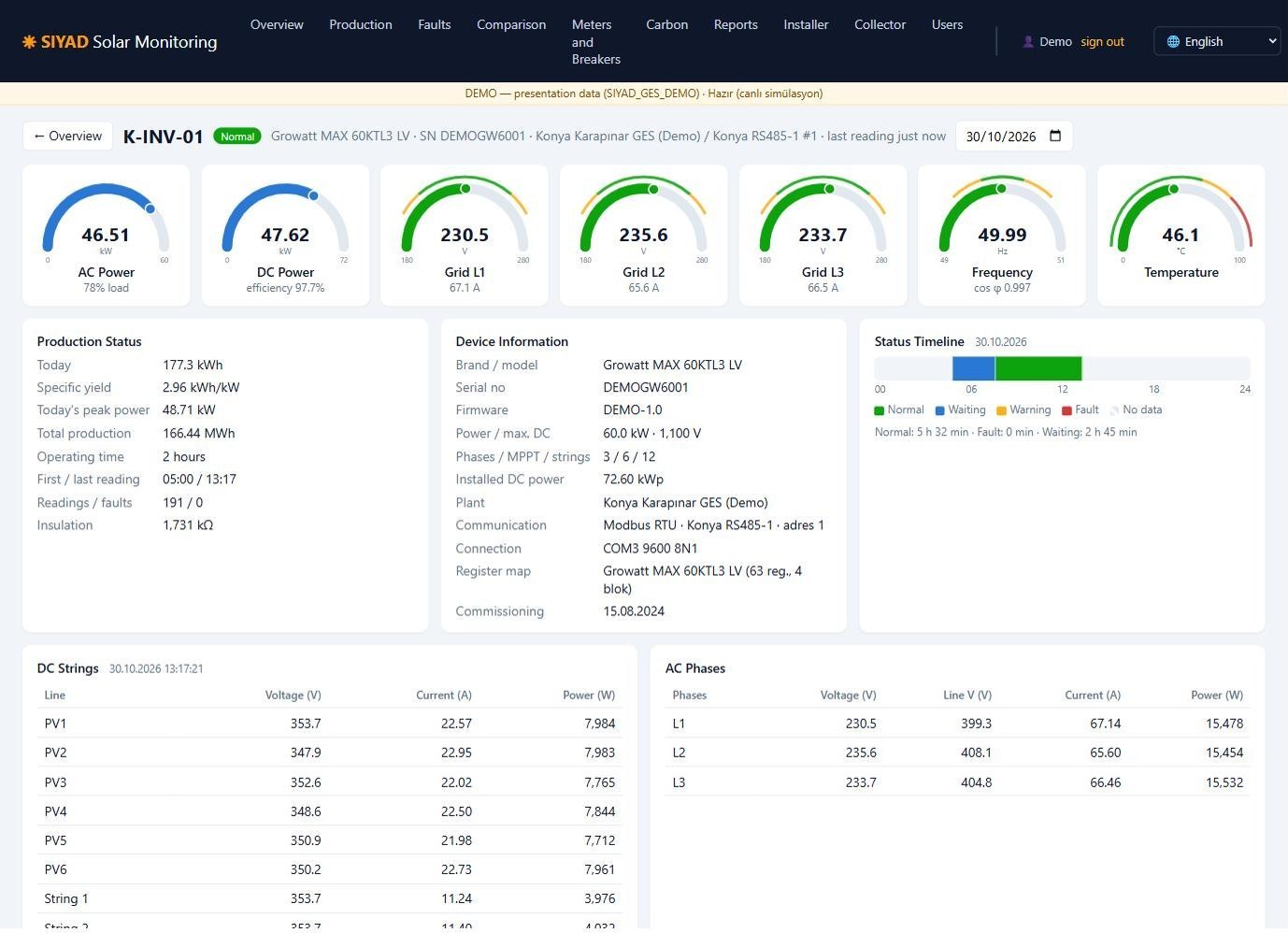
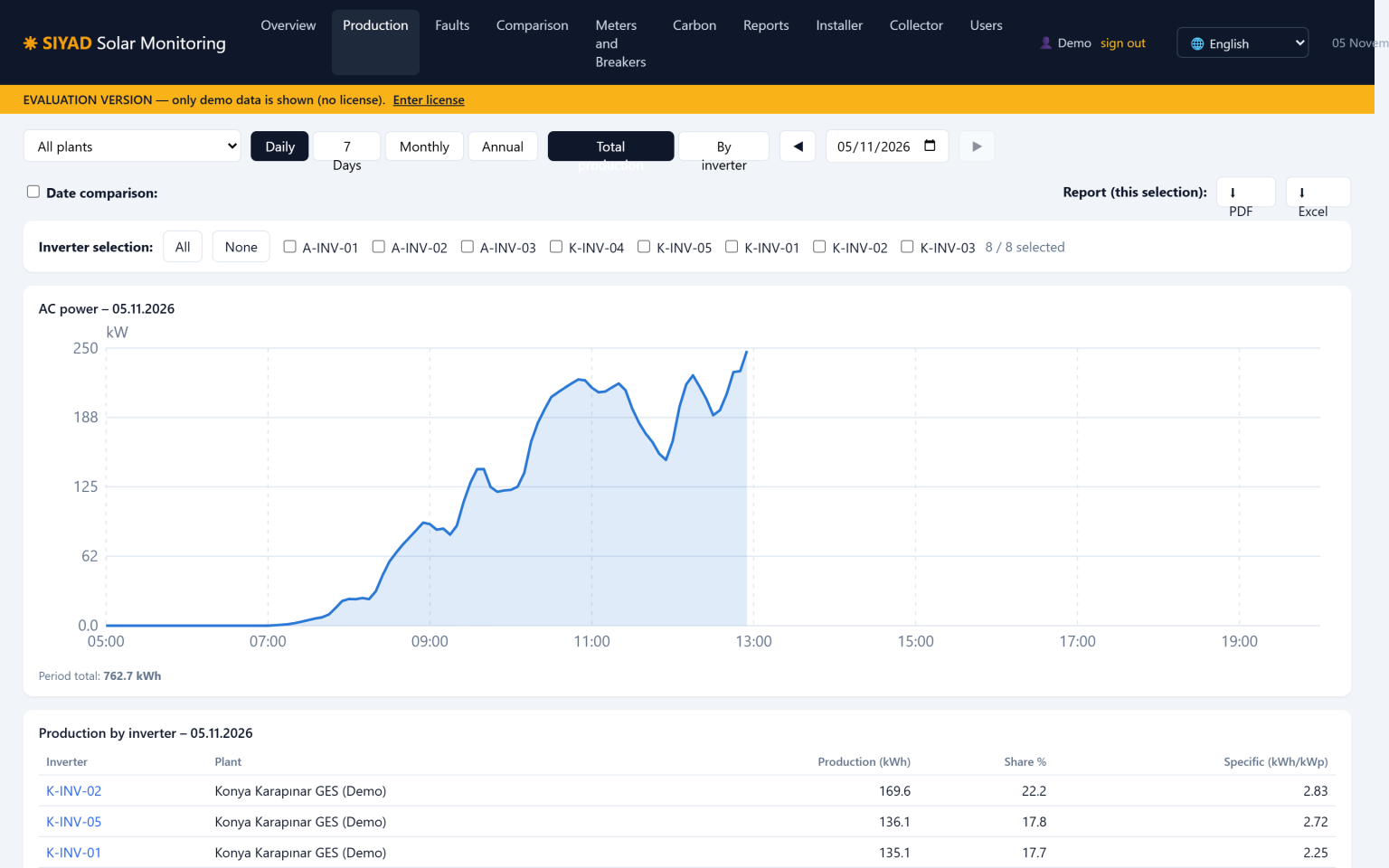
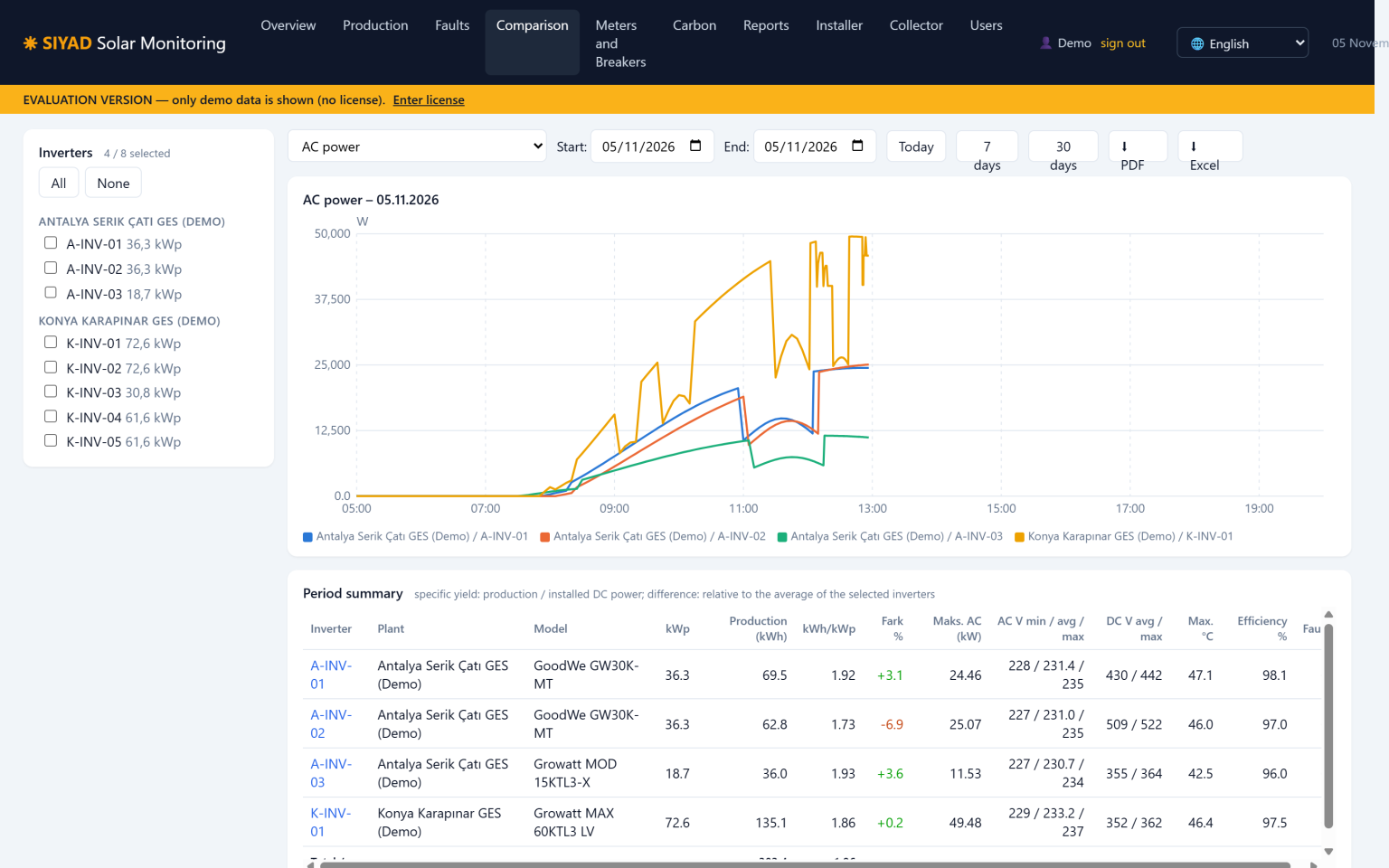
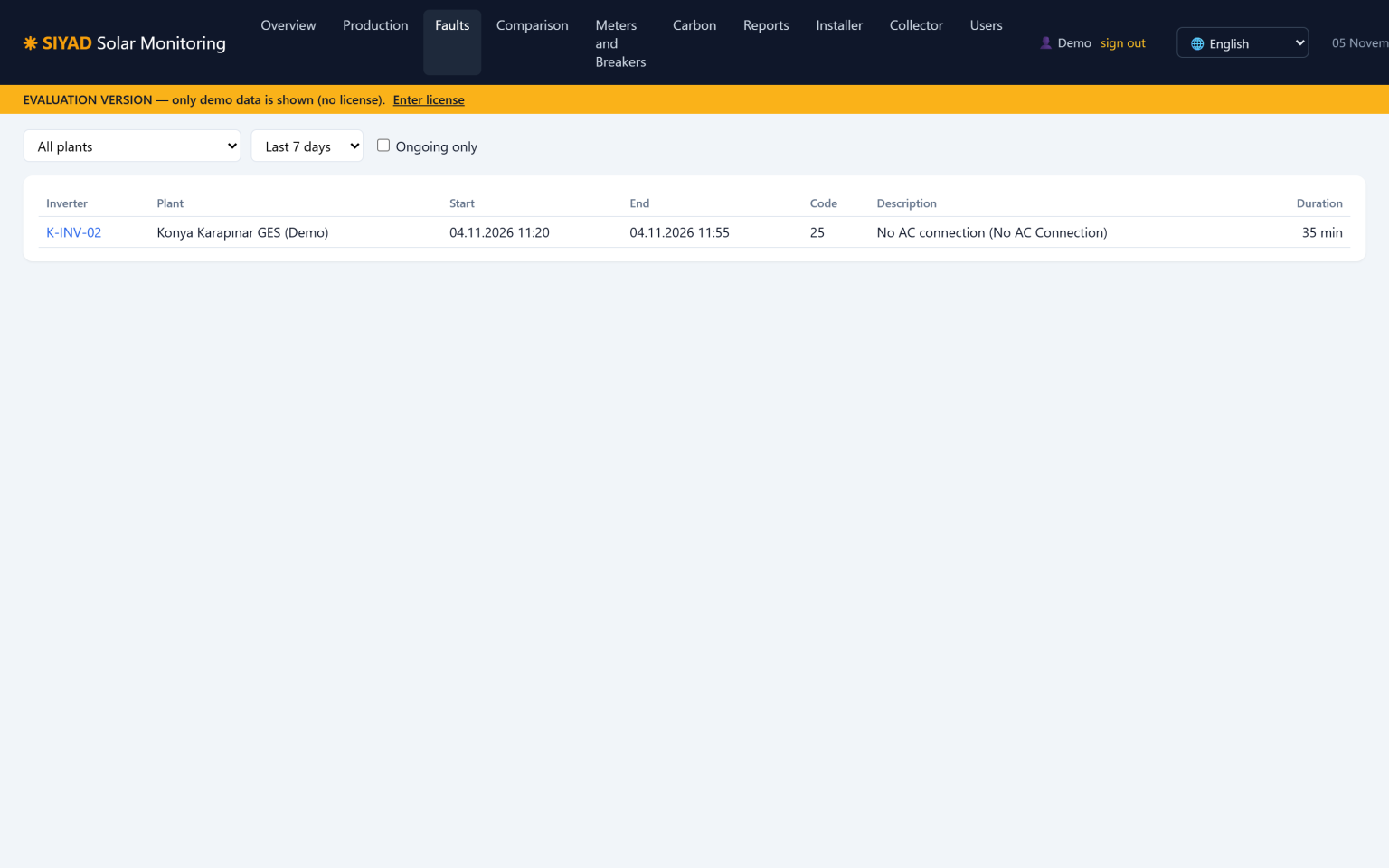
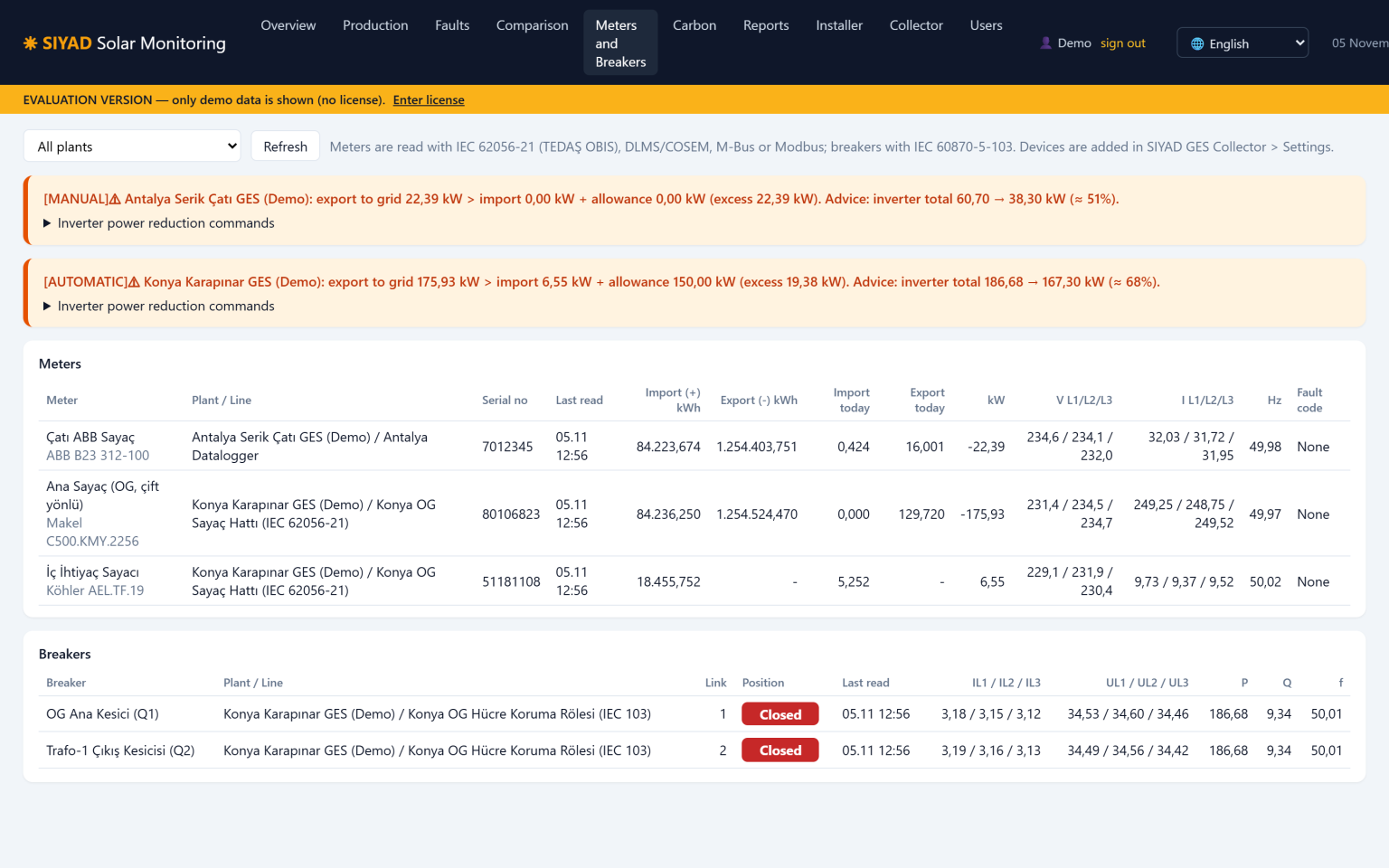
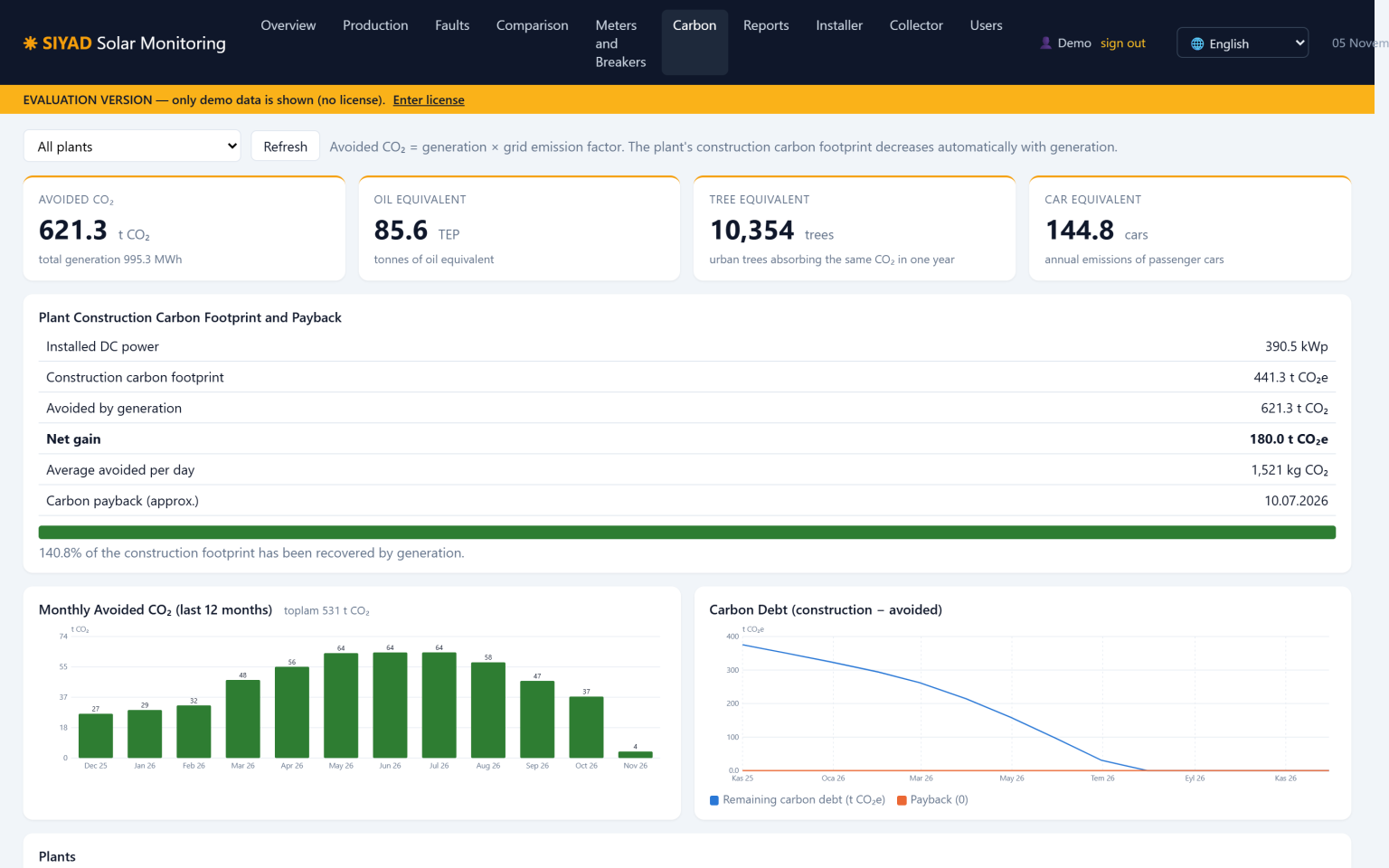
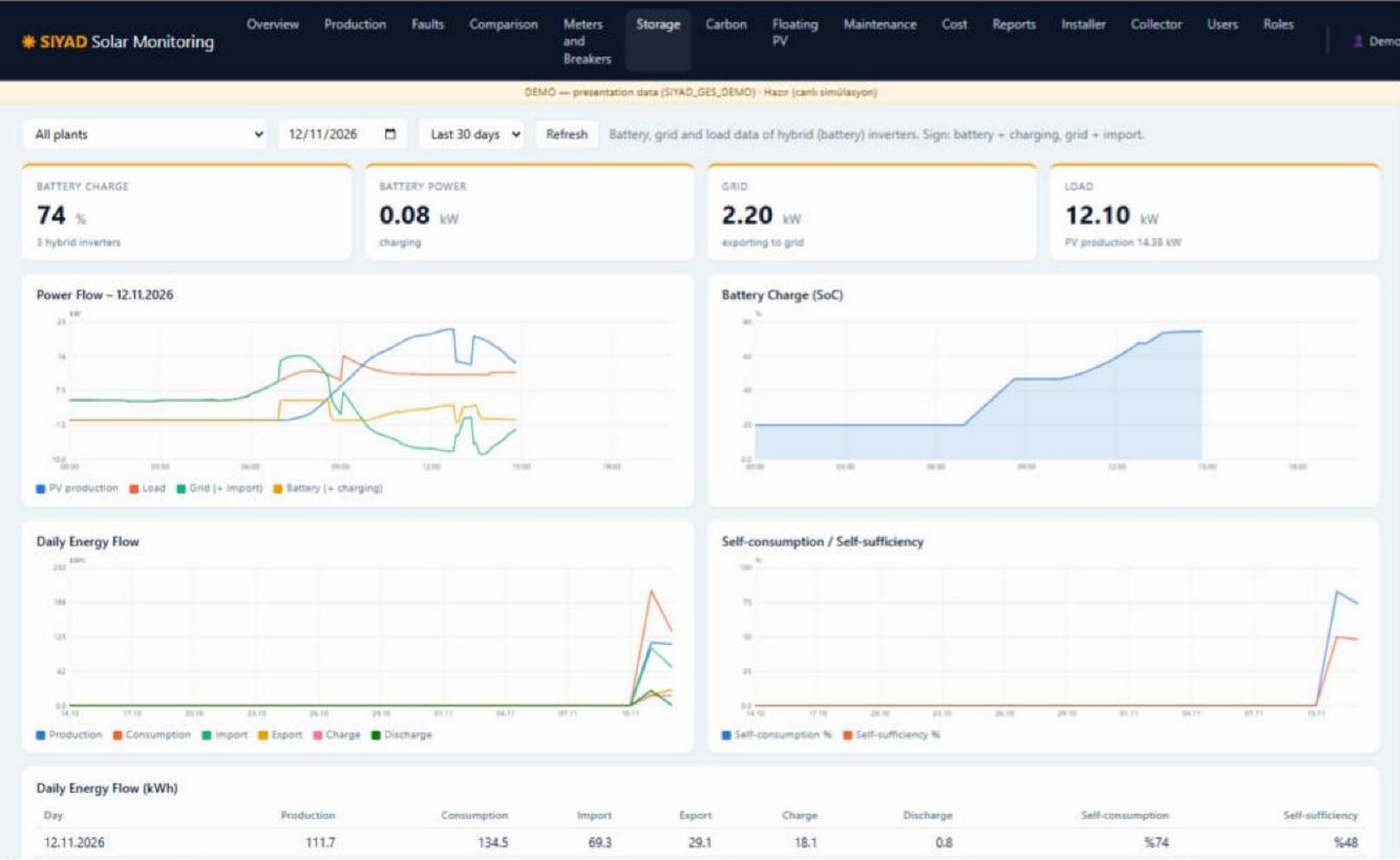
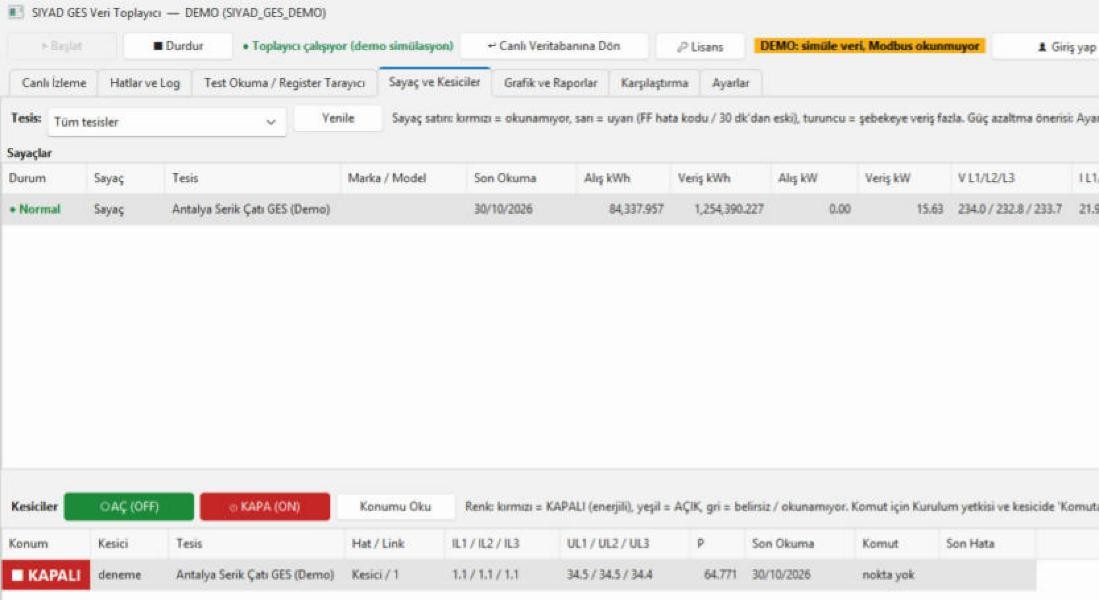
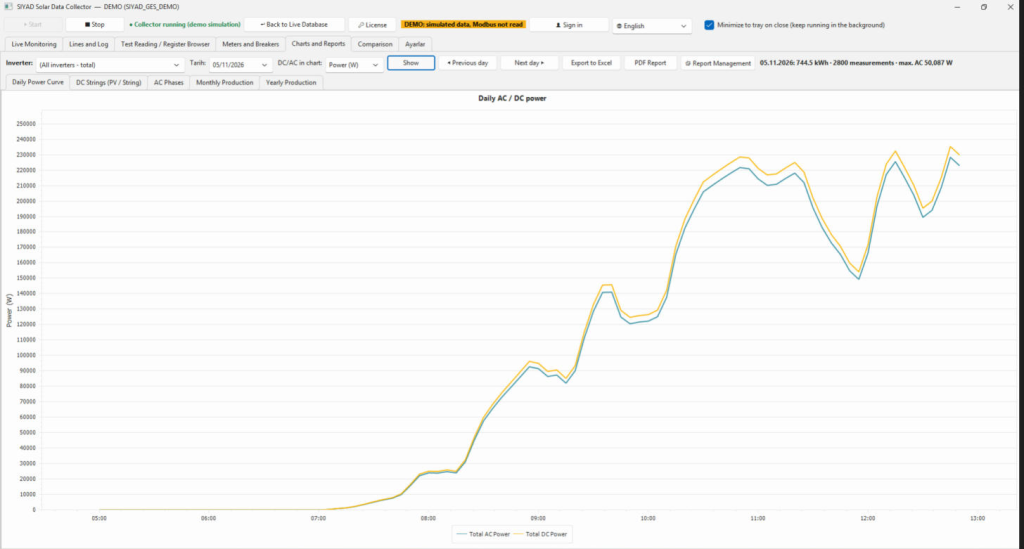
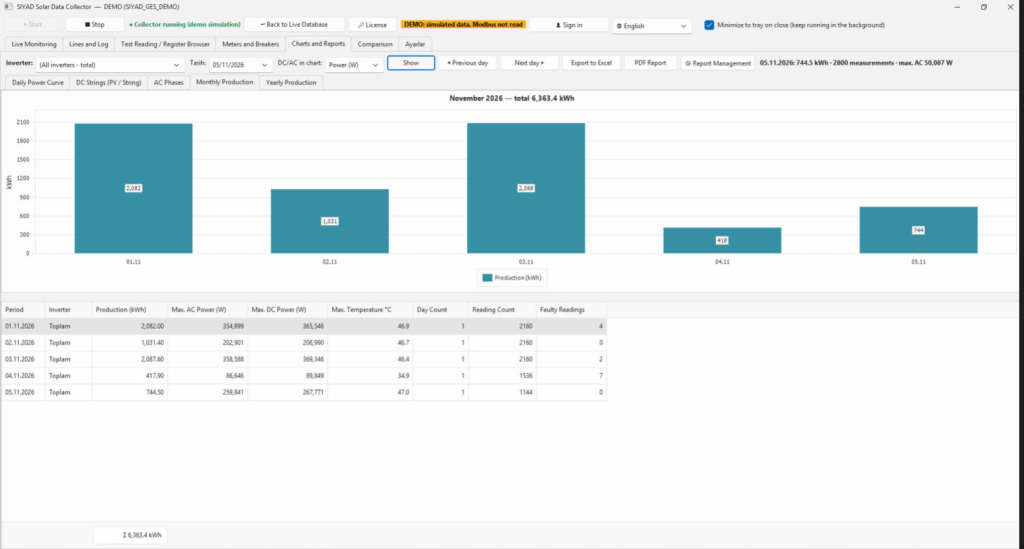
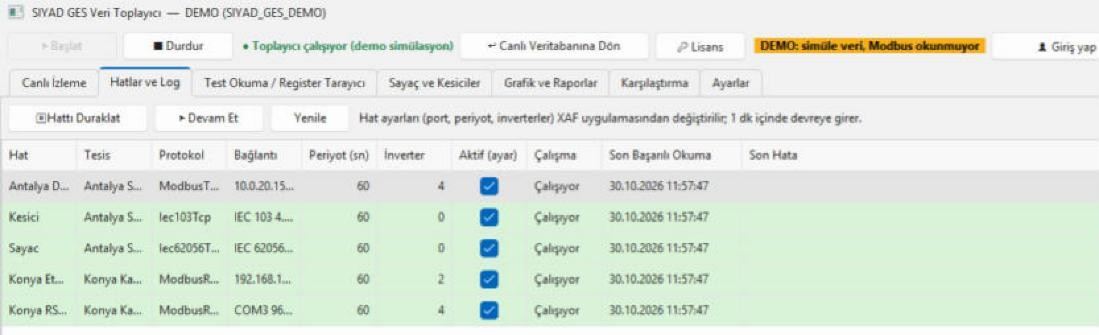
More screens
Downloads
SIYAD Solar Monitoring presentation: features, screenshots, regulations and licensing (in Turkish).
Highlights
Brand-independent
Auto-detects the brand, many brands on one screen
RTU / TCP
Modbus reading over RS-485 and Ethernet
24/7
Uninterrupted data collection as a Windows service
Role-based
Ready roles, permission-based user access
15 languages
English, Turkish, German, French and 11 more
PDF / Excel
Built-in and custom-designed reports (Pro)
Live Monitoring and Production Analysis
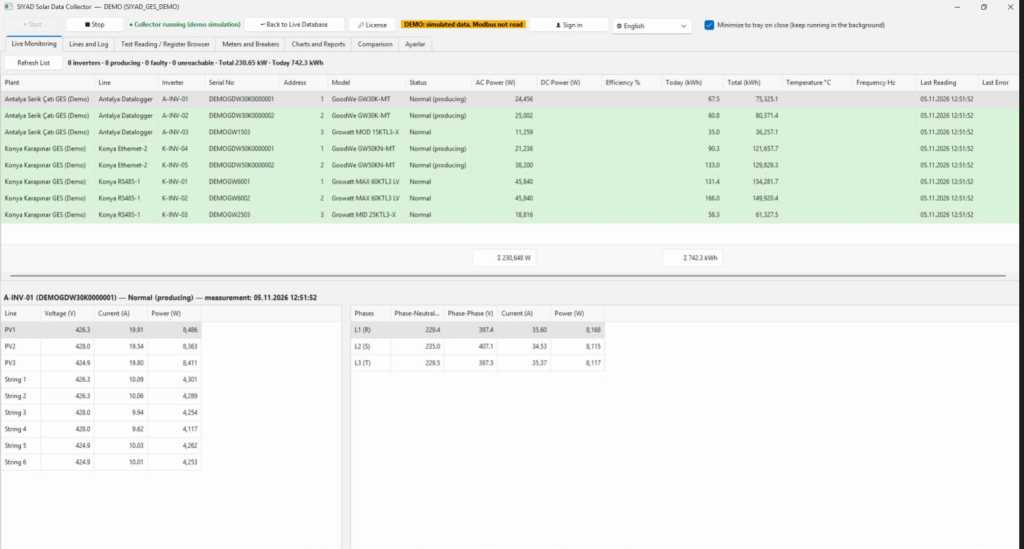
The web-based dashboard shows live power and daily, monthly and total production per plant and per inverter. AC/DC power, voltage, frequency, temperature and status are monitored live for every inverter.
- Live power, ratio to installed capacity and kWh/kWp yield
- Daily power curve, last 30 days and last 12 months production charts
- Status, voltage, frequency and temperature on inverter cards
- Fault and warning records tracked together with their history
Inverter Comparison
Parameters such as voltage, current, power, production and temperature of selected inverters are compared on the same chart over any date range. An underperforming inverter is identified without a site visit.
Supported Inverters
| Brand | Supported series |
|---|---|
| Growatt | MTL-S / TL3-S (Modbus V3.04, V3.14), MAX / MID / MOD TL3-X (V1.24) |
| GoodWe | MT / SMT, DNS / XS / MS series |
| Huawei | SUN2000 series (Modbus Interface V3.0) |
| Sungrow | SH hybrid series (RS / RT / T) |
| Solax | X1-Hybrid-G4 (single-phase), X3-Hybrid-G4 (three-phase) |
| Deye | Three-phase hybrid (SG series) |
| Wattsonic | Hybrid series (WTS) |
| TommaTech New | Trio-Atom-K, Trio-Plus-K, Uno-Hybrid-K, Trio-Hybrid-K, Trio Hybrid LV F (15 / 20 kW) |
Brand and model are detected automatically on site. New inverter models are added through free updates within the same version; if your model is not listed, contact us.
Meter and Energy Analyser Reading Pro package
| Brand | Supported meters and analysers |
|---|---|
| Makel | M550, M710, T610, T715, C500 (single-phase / three-phase / combi) |
| Köhler | AEL.MF, AEL.TF, AEL.KC series |
| Elster (Honeywell) | A1500, A1700, AS1440 |
| EMH | LZQJ, DMTZ |
| Iskraemeco | MT174, MT372, MT880 |
| ABB | EQ series: A41–A44, B21–B24 |
| Eastron | SDM630, SDM230, SDM120 (energy analyser) |
| Janitza | UMG 96RM / 96RM-E (energy analyser) |
| Schneider | PM2000, PM5000, PM8000 (energy analyser) |
| Klemsan | KLEA 110P / 220P, POWYS (energy analyser) |
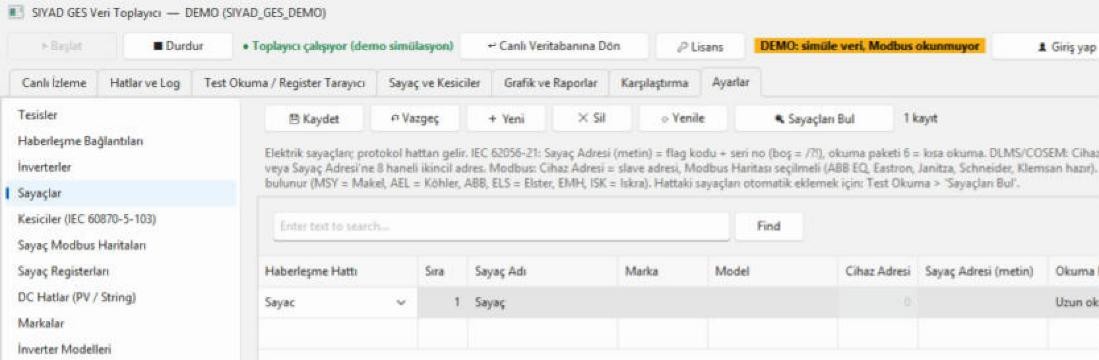
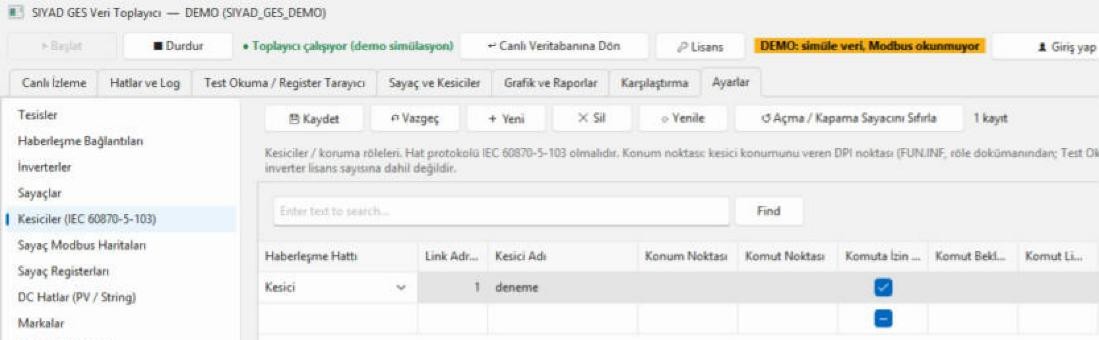
Connection: IEC 62056-21 (optical probe / RS-485), DLMS/COSEM, M-Bus and Modbus, over a serial port or an Ethernet / GPRS converter. Circuit breakers and protection relays: IEC 60870-5-103.
Exported and imported energy, consumption and analyser measurements are monitored on the same dashboard as the inverters. Meters are read over RS-485, optical probe or Ethernet / GPRS.
Reporting Pro package
- Daily, monthly and yearly production reports downloadable as PDF and Excel
- Built-in report designer: create and edit your own report templates in both the web dashboard and the desktop application
- One-click reports by plant and date range
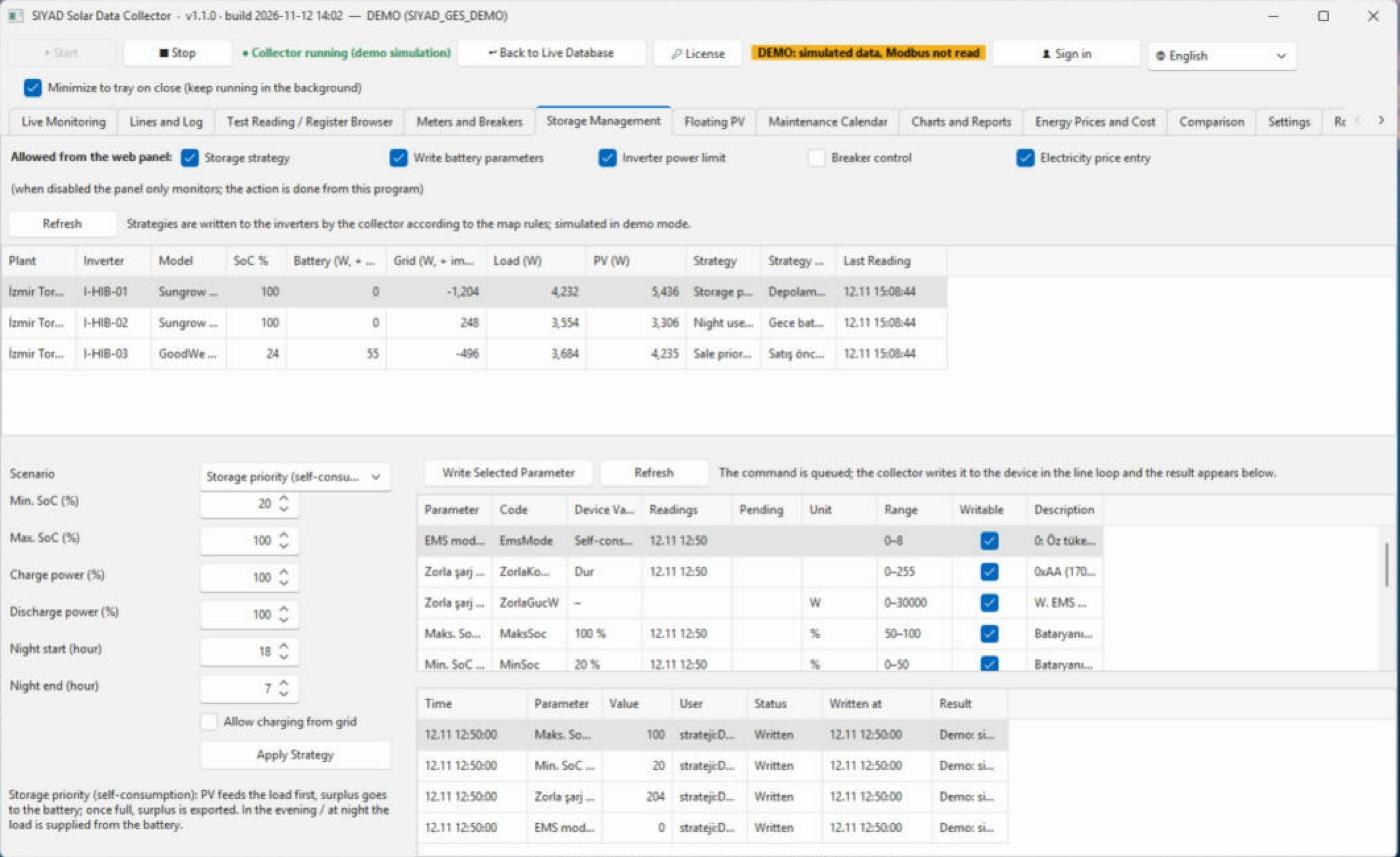
Storage (Battery) Management Add-on
Battery state of charge (SoC), charge / discharge power, grid and load of hybrid inverters on the same dashboard; daily energy flow, self-consumption and self-sufficiency are calculated.
- Power flow chart: PV production, load, grid and battery together
- Write battery parameters from the dashboard: charge power, minimum / maximum SoC, operating mode
- Ready strategies: storage first, export first, night-time battery use, backup reserve
- Commands are queued with permission checks and written to the device in the collector line loop; results are logged
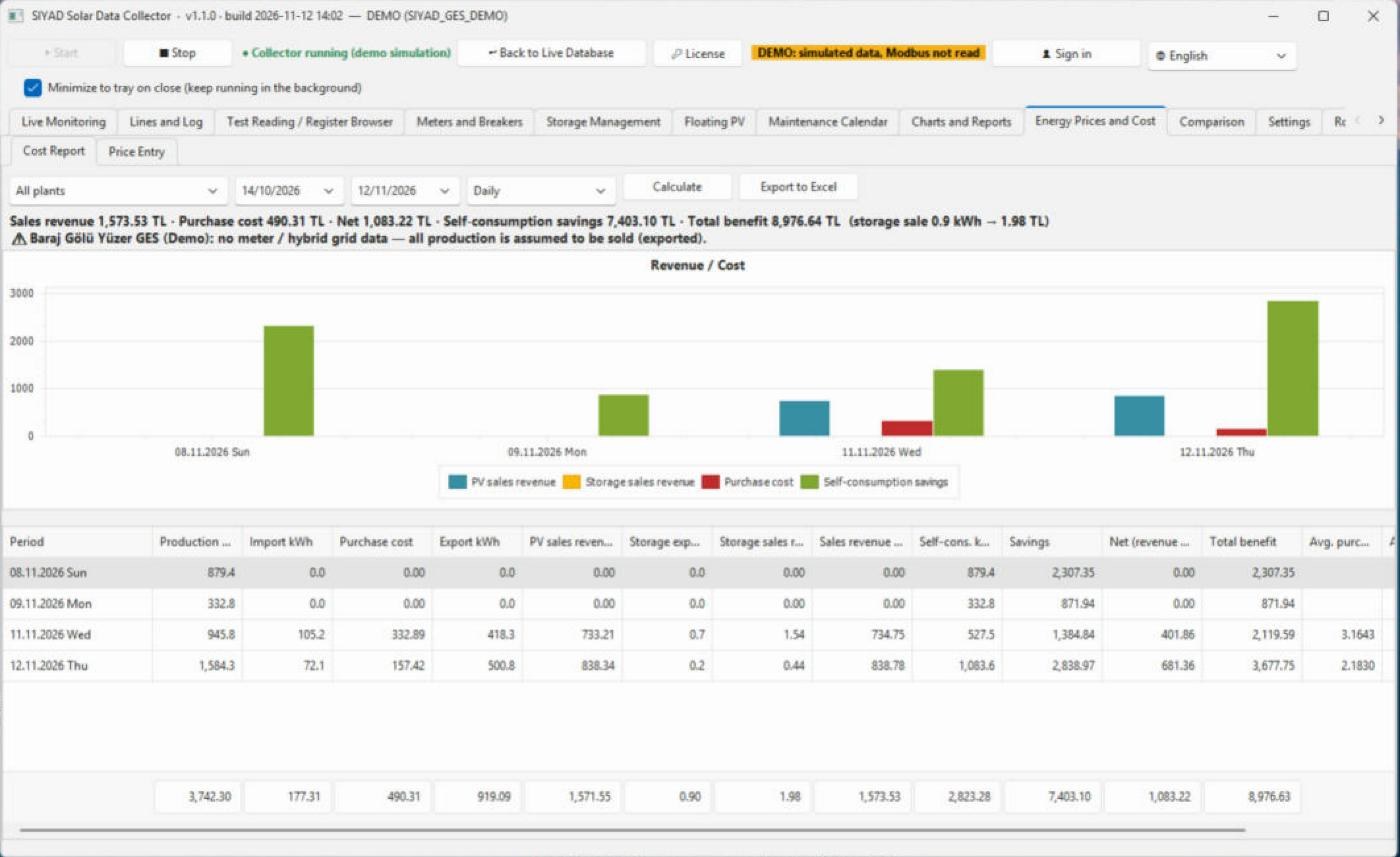
Energy Cost and Revenue
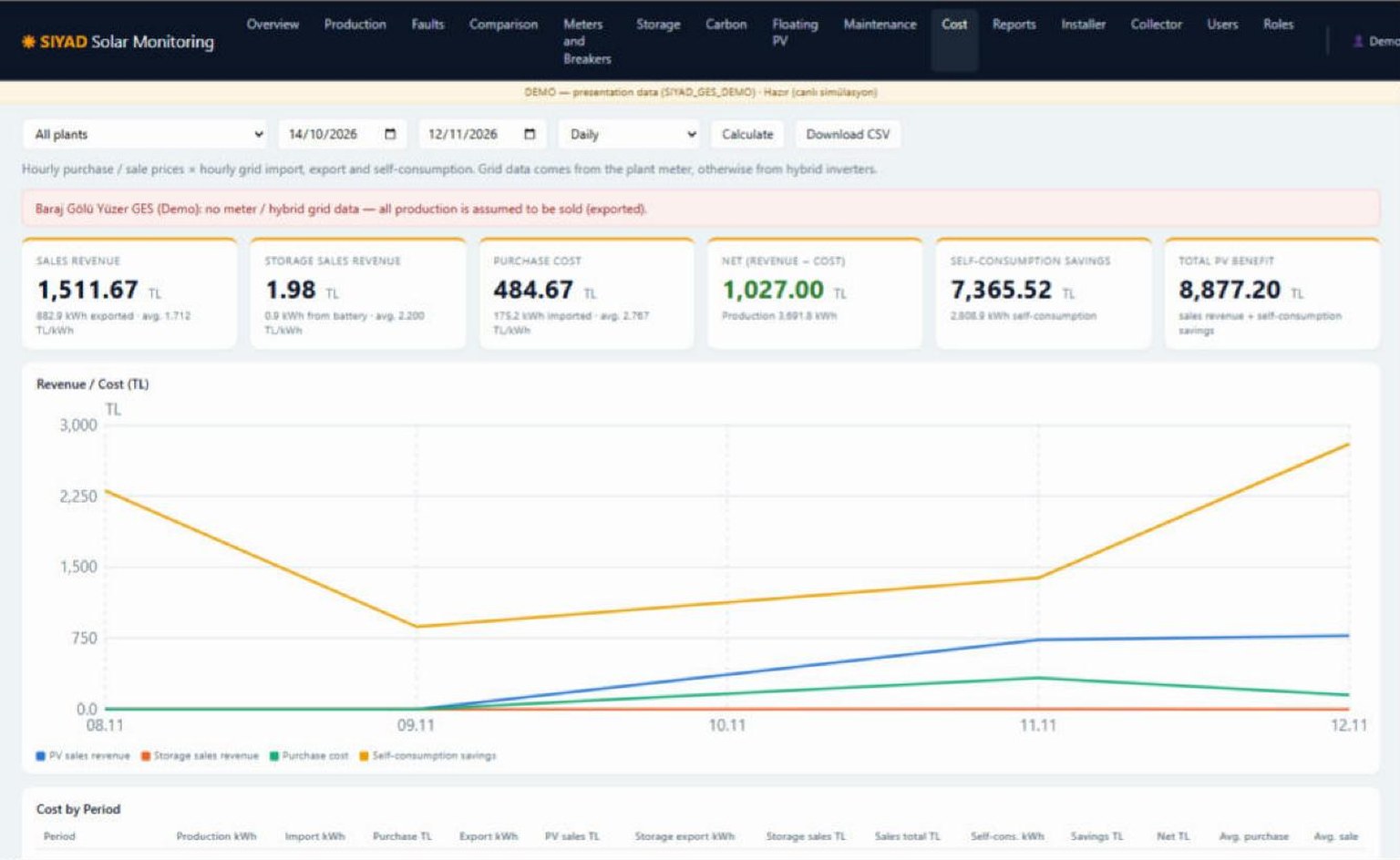
Hourly buy / sell prices are combined with grid import, export and self-consumption to calculate the financial value of your PV plant.
- Export revenue, import cost, net result, self-consumption savings and total PV benefit
- Separate price for battery export; prices can be pasted from Excel
- Daily, monthly and hourly periods; breakdown per plant and CSV / Excel export
- Grid data comes from the plant meter, or from hybrid inverters if there is no meter
Export Limitation and Check Meter Pro package
On plants with an export limit, meter data is monitored continuously and inverter power is adjusted before the limit is exceeded.
- Three modes: suggestion only, manual or automatic curtailment; inverters return to normal when the plant imports again
- Check meter: compared with the main meter, warning above 1% deviation
- Breaker commands require permission, confirmation and a command lock; every command is logged
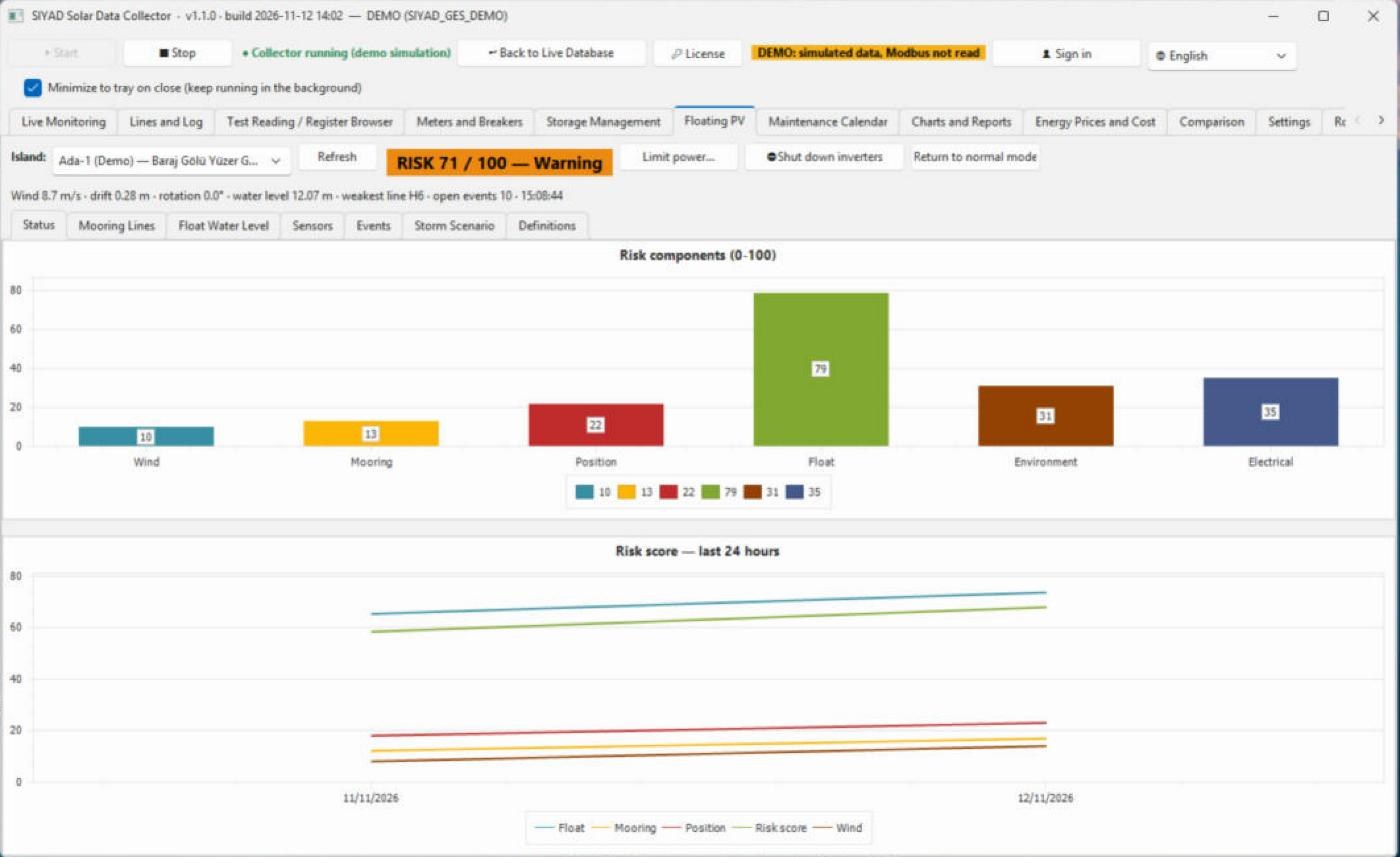
Floating PV Monitoring Add-on
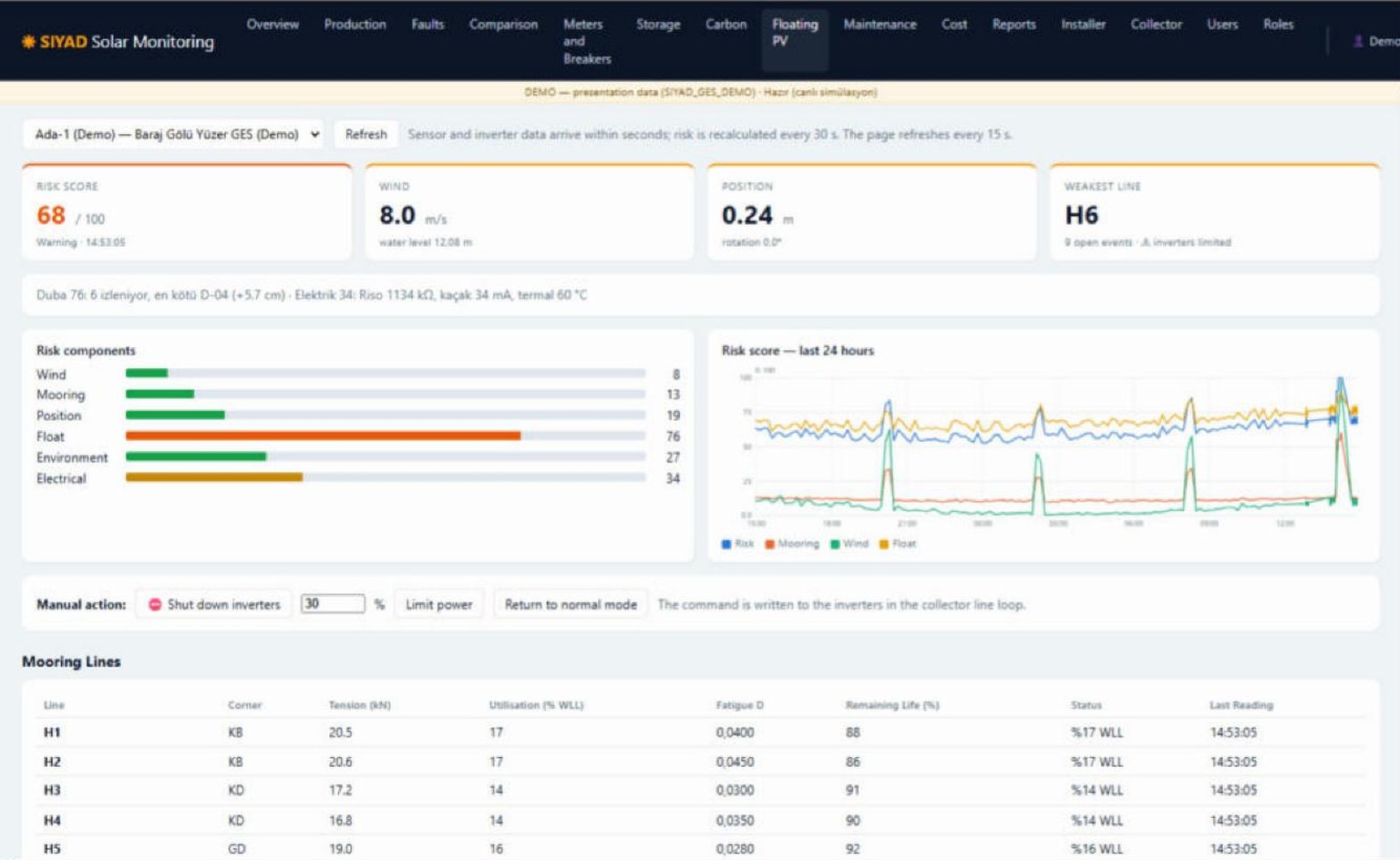
Manage the production and the mooring system of a plant on water together. Islands, mooring lines, floats and field sensors on one screen; a 0–100 risk score is calculated from wind, mooring, position, float, environment and electrical components.
- Mooring monitoring: GPS position, line tension and line angle
- Field sensors: float angle, current, vibration, tilt, anemometer, water level, waves, float water level, insulation, leakage current, thermal camera, perimeter security
- Data fusion: a single-sensor alarm not confirmed by other sensors stays a warning; false alarms are reduced
- Automatic action: at the risk threshold inverter power is limited or shut down, and restored when the risk clears
- Fatigue and remaining-life analysis of mooring lines; storm scenario shows the weakest line in advance
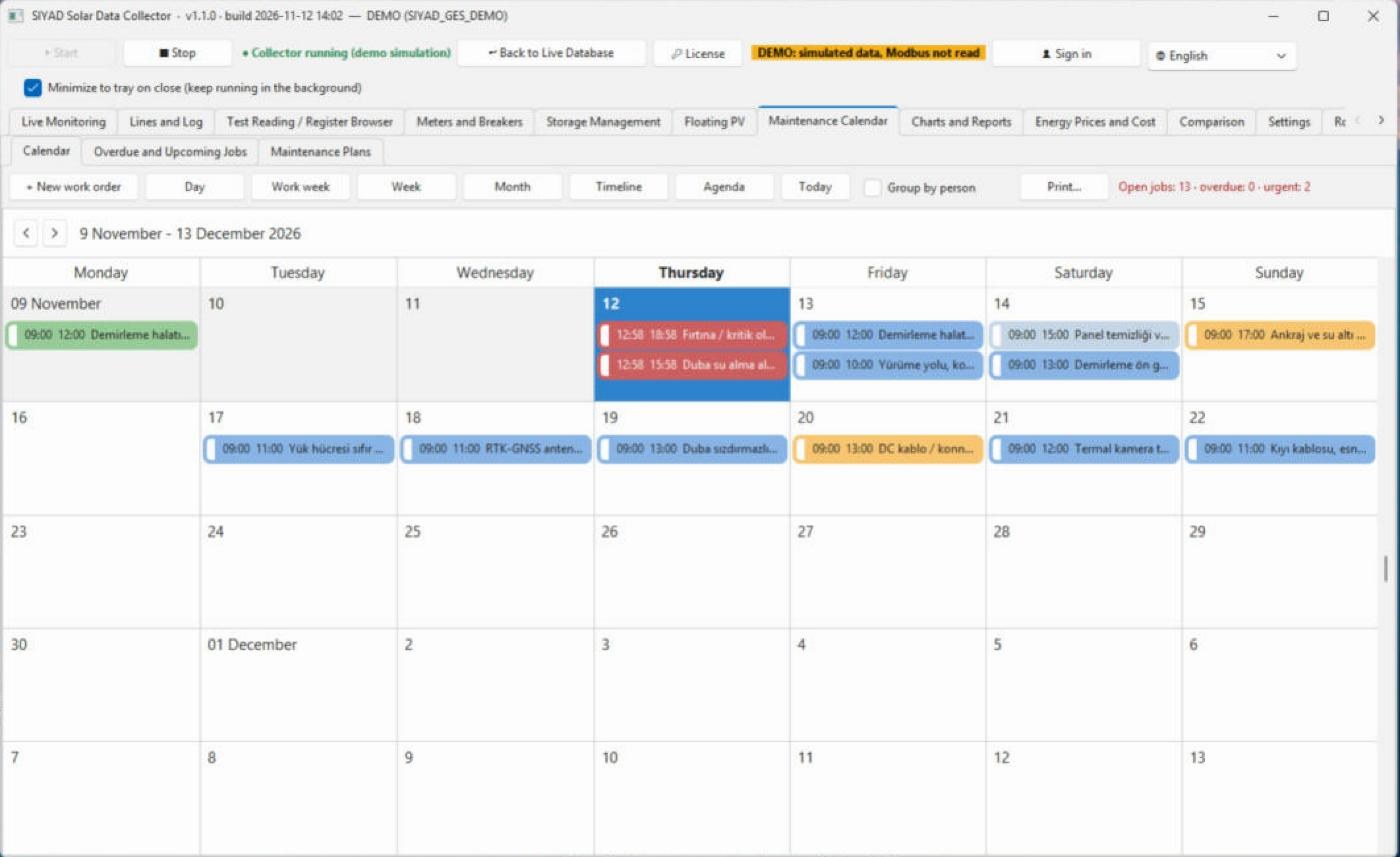
Maintenance Calendar Add-on
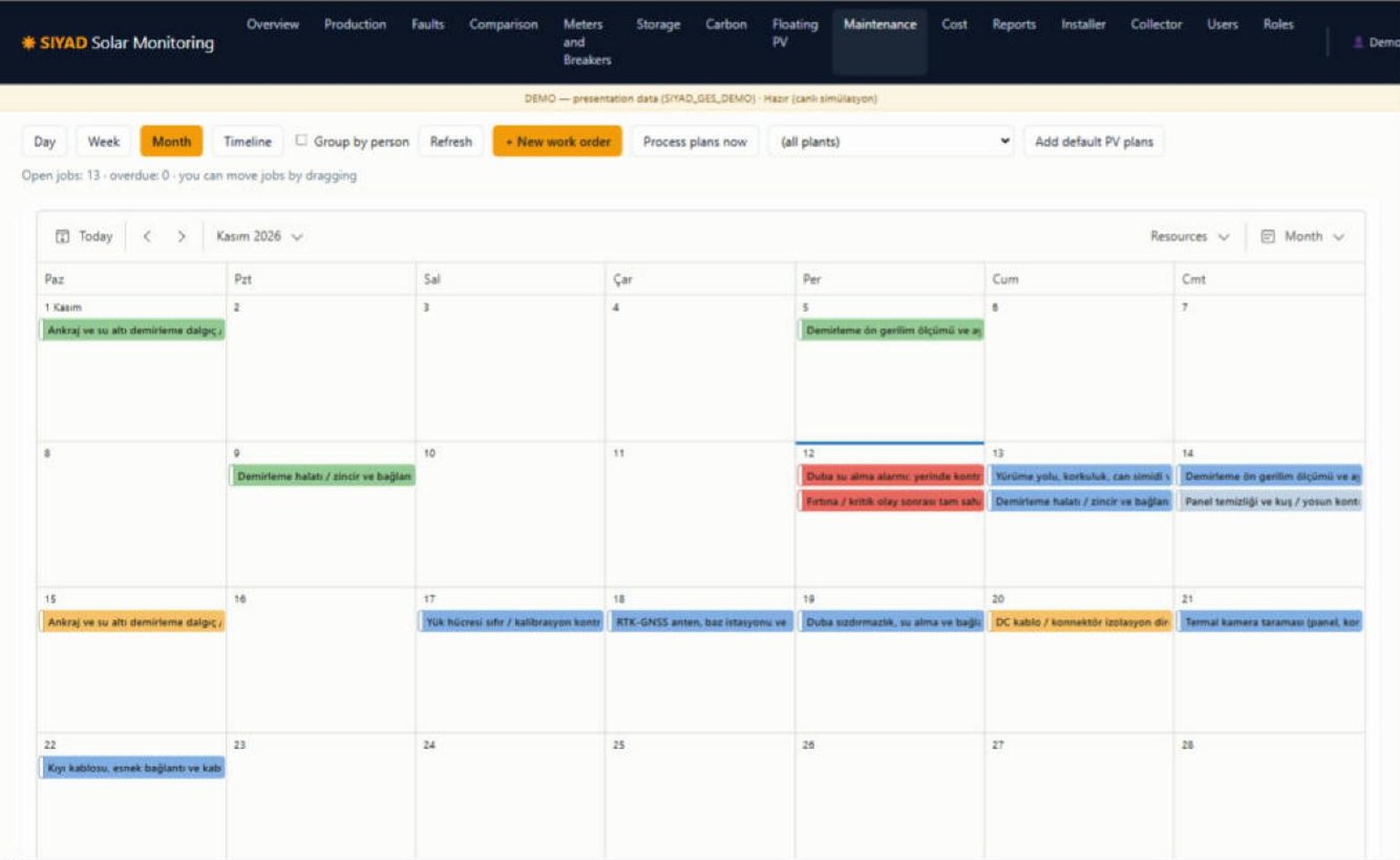
Work orders are generated automatically from maintenance plans and planned in day, week, month and timeline views. Also usable on its own for ground-mounted and rooftop plants.
- Periodic, fatigue-based, event-based (storm, float flooding, insulation) and corrective maintenance
- Ready PV maintenance plan templates; assignment to a person or role
- Work orders are moved by drag and drop; overdue and upcoming jobs on the dashboard, desktop and calendar
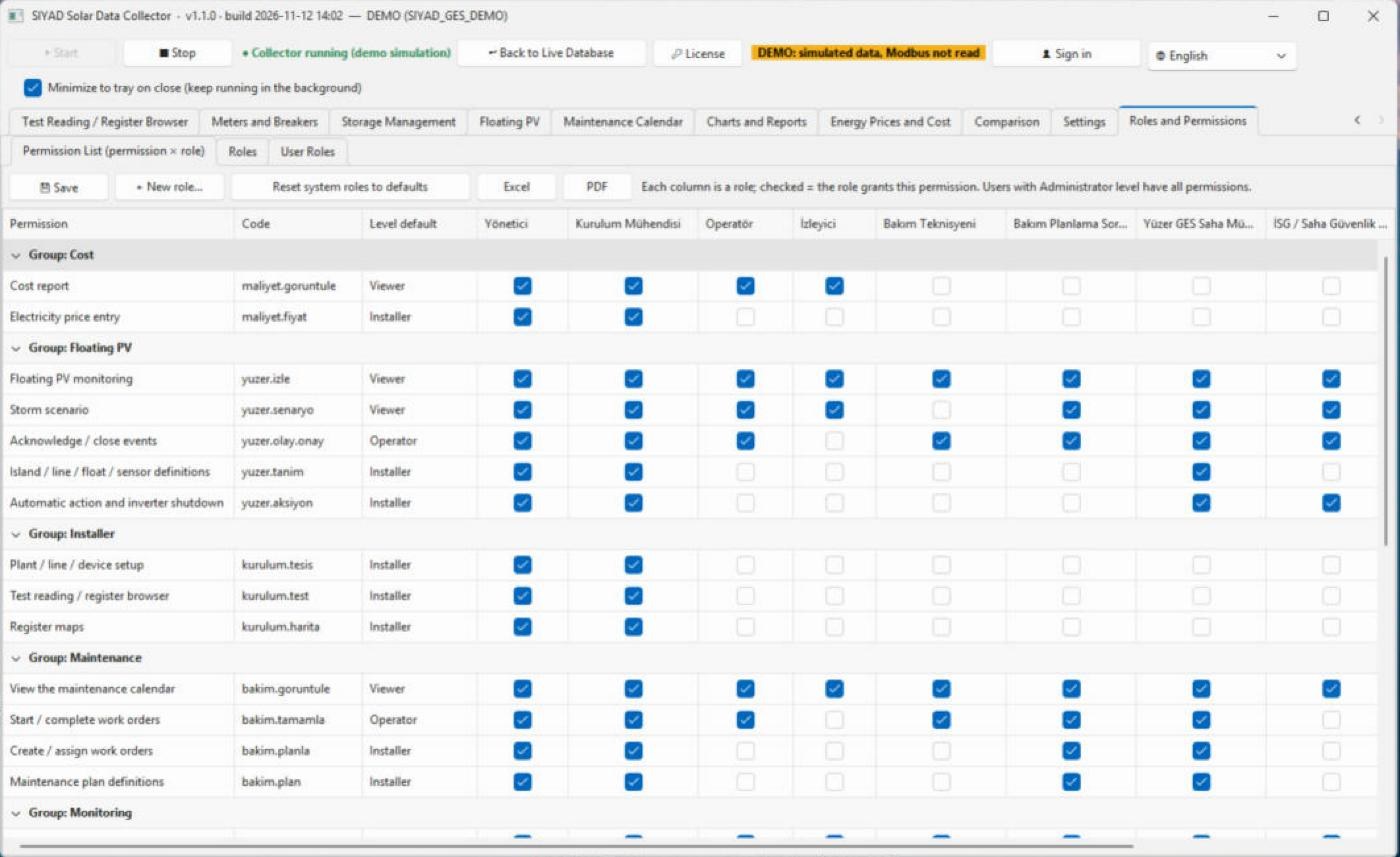
Role-Based Access Control
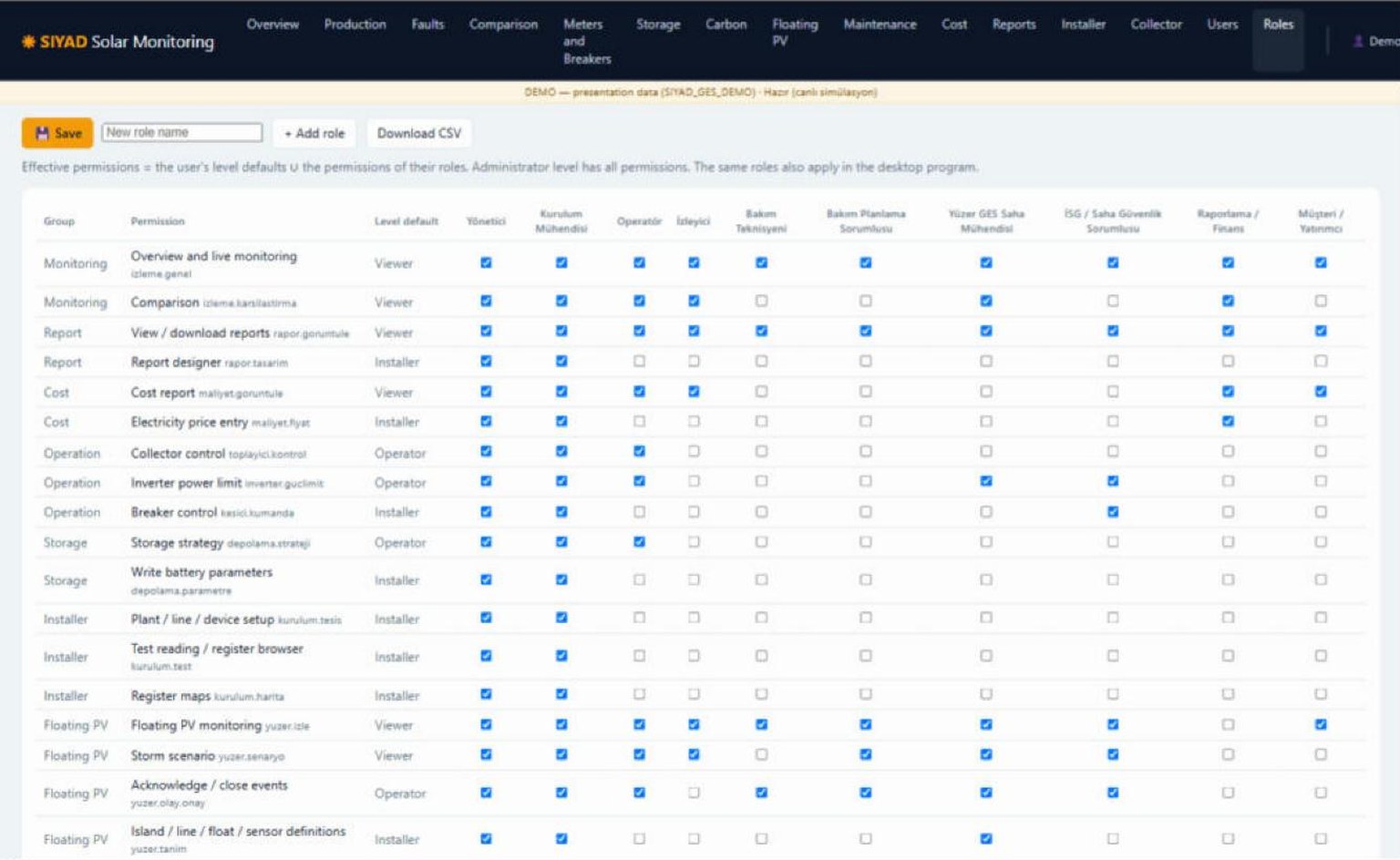
Monitoring, reporting, cost, operation, installation, floating PV and maintenance permissions are granted by role; the same roles apply in the web dashboard and the desktop application.
- Ready roles: Administrator, Installation Engineer, Operator, Viewer, Maintenance Technician, Maintenance Planner, Floating PV Field Engineer, HSE Officer, Reporting / Finance, Customer / Investor
- Add new roles and edit them permission by permission
- Export the permission list to Excel / PDF
Language Support
The web monitoring dashboard and the desktop application are available in these 15 languages. Each user chooses their own language, so teams in different countries can monitor the same plant in their own language.
Setup and Management
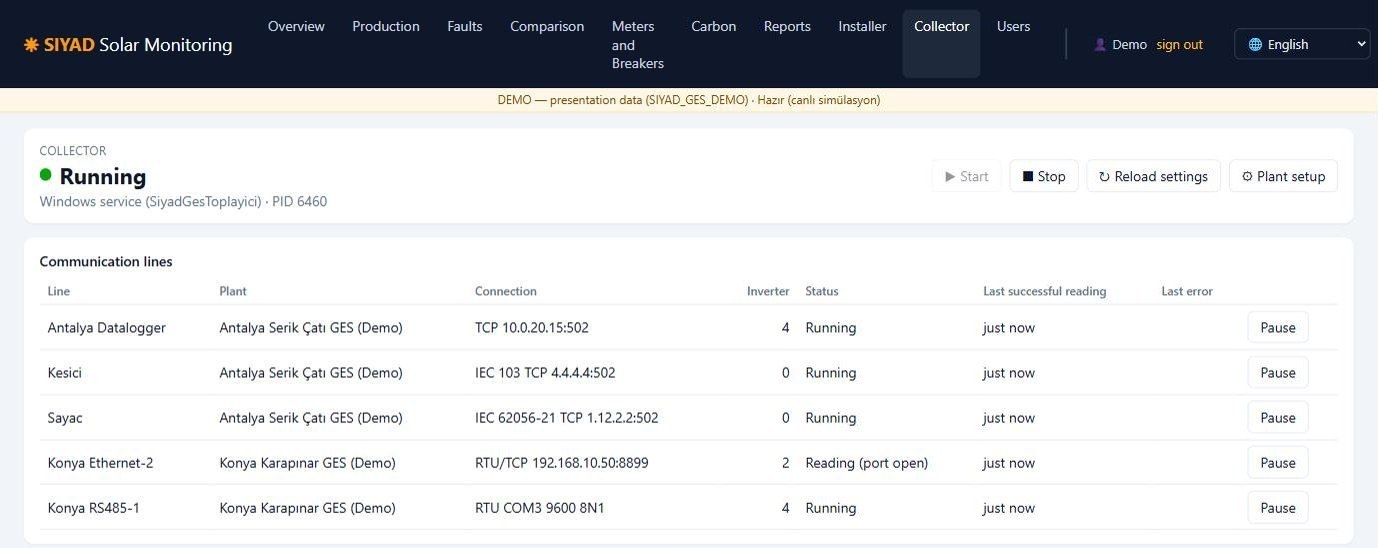
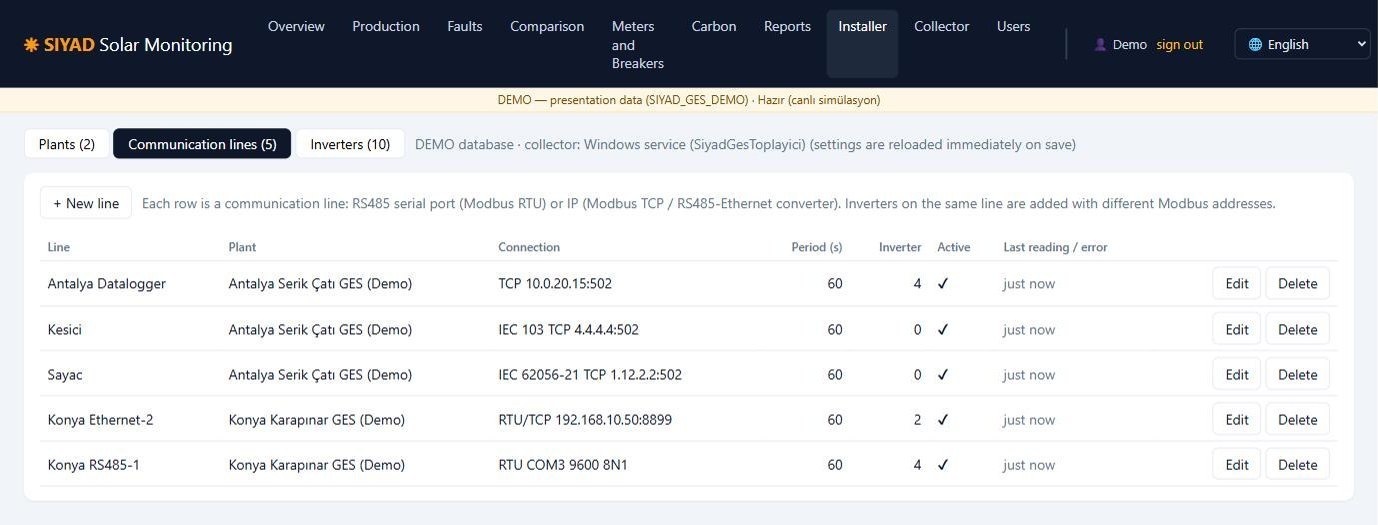
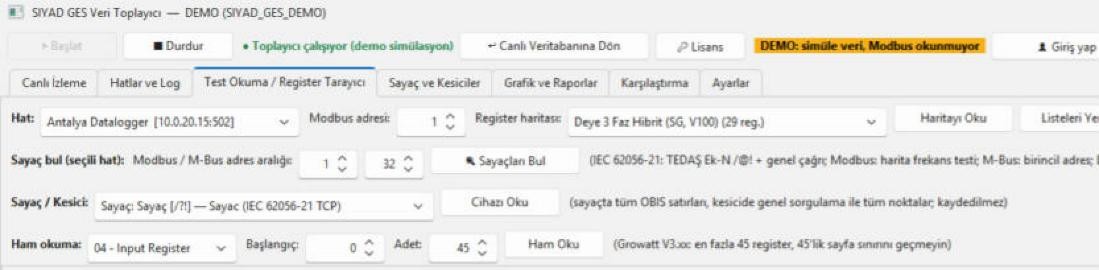
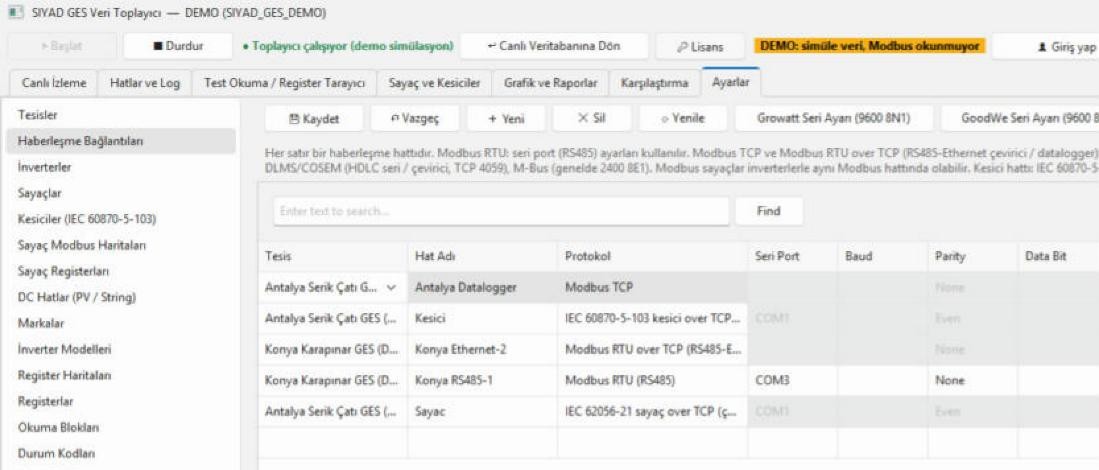
- Plants, communication lines and inverters defined from the web dashboard or the desktop application
- Automatic detection of inverter brand and model, fast setup with ready-made Modbus register maps
- Start, stop and per-line pause of the data collector from the dashboard
- User and permission management; password protection for setup operations
- Pro package: Remote circuit-breaker open / close with a wait time after each command and a safety interlock that blocks further commands after two open-close cycles until reset from the setup screen
- Flexible licensing by number of plants, number of inverters and duration
- Free trial without a real plant in evaluation (demo) mode — open the live demo
Technical Requirements
- Windows 10 / 11 or Windows Server
- Microsoft SQL Server (including Express)
- .NET 8 runtime (included in the setup package)
- RS-485 converter or Modbus TCP network connection
- An up-to-date web browser to access the dashboard
- Runs on your local network or your own server
Try first, then decide
Explore the live demo dashboard now; share your inverter brands and models and let's evaluate the system for your plant together.
Phone: 0232 237 55 55
E-mail: info@siyadsistem.com